
Tailor Each Channel's Message to the CRM Its Leads Use
Sources by CRM is for B2B forms that ask “Which CRM do you use?” It shows which UTM sources bring leads on which CRM, and where a channel clearly leans toward one stack. It answers “how should our messaging change by channel?”
Published · Updated
/crmLeads, forms and tracking
Which channels bring leads who use HubSpot or Salesforce?
It depends on whether your form asks which CRM a lead uses. If it does, Sources by CRM shows which sources bring leads on which CRM, so you can tune your messaging by channel. Type /crm to run it. To decide who to call first, use the Lead quality scorer. To compare your forms, Form performance fits better. To find where a CRM-specific page belongs, check Landing page performance.
What it is: Sources by CRM is a B2B channel report from the free UTM Grabber Reports skill for software companies, agencies and integrators that shows which sources bring leads on which CRM.
What this report answers
Built for: B2B software companies, agencies and integrators whose buyers already run a CRM.
What's in the report
Why You Can Trust What It Tells You
Finds your CRM question automatically
The report uses any form field whose label contains crm, so you don't have to point it at the right question.
Patterns only with real volume
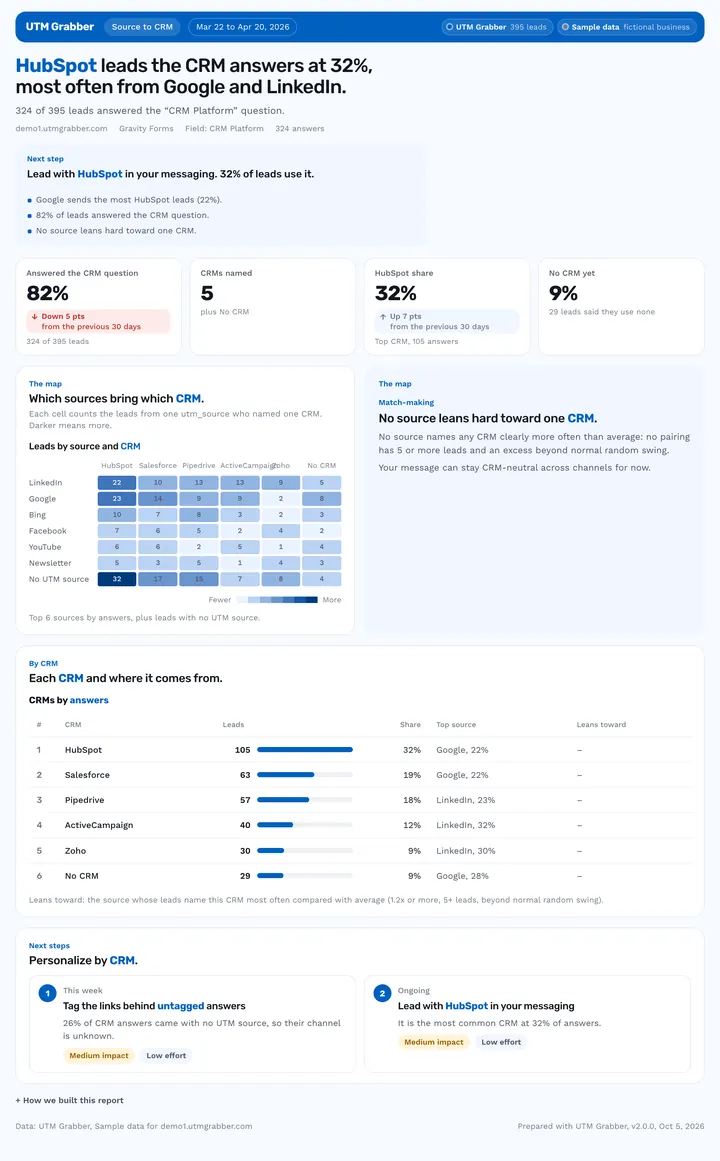
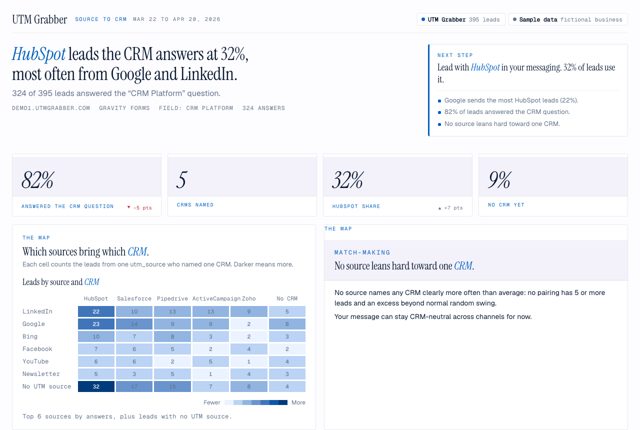
A source counts as leaning to one CRM only with 5+ leads and an excess beyond 2 standard deviations.
Messy answers grouped together
Spellings like hubspot and HubSpot are grouped, and answers like none or no show as No CRM.
Ask your AI
Type the shortcut, or ask in your own words. Your AI pulls your leads through your UTM Grabber connection and builds the report.
You ask: /crmWhich CRMs do our leads use, by source?
Used UTM Grabber

check_site_health· UTM Grabberlist_forms· UTM Grabberget_entries· UTM Grabber· 395 leads
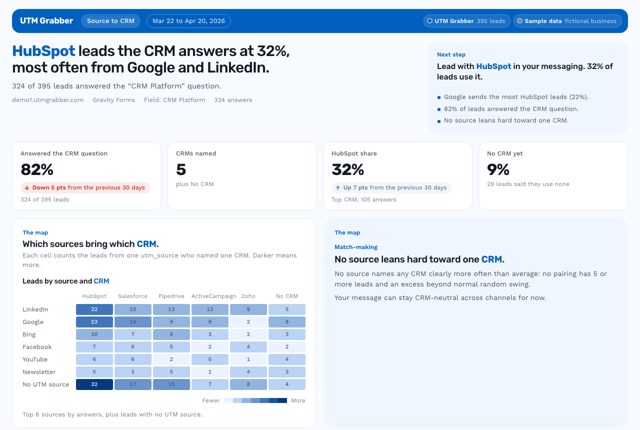
Claude answers: HubSpot leads the CRM answers at 32%, most often from Google and LinkedIn. 324 of 395 leads answered the “CRM Platform” question.
/crm- “Which CRMs do our leads use, by source?”
- “Do LinkedIn leads use a different CRM than Google leads?”
- “Where should we build a HubSpot landing page?”
What it uses
UTM GrabberRequiredYour leads, with the CRM answer from your formReport designs need Claude, Codex or Cursor.
 Sources by CRM
Which plan do you need?
This report works on every plan, starting with the free plugin.
| Plan | What your AI reads |
|---|---|
| Free pluginThis report | Your last 30 days, with a fair-use allowance |
| Starter | Your last 30 days, with first touch and more click IDs |
| Starter+ or Premium | Your full history, unmetered |
See it in 4 looks
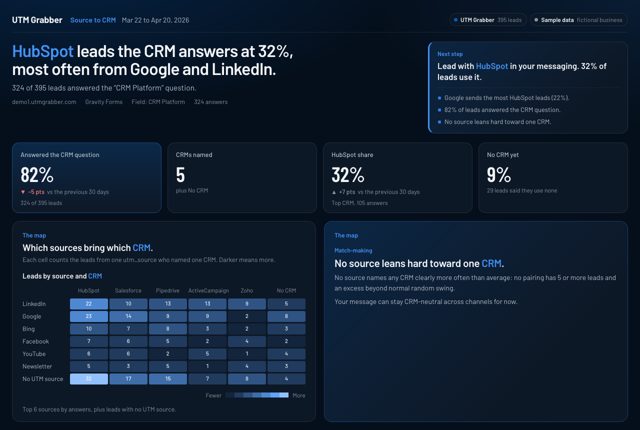
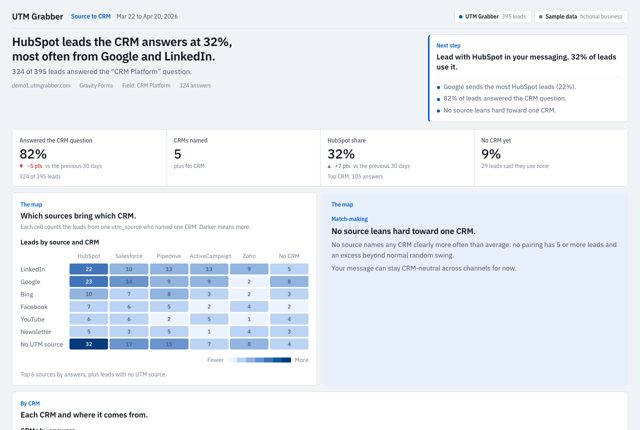
Same numbers, same story, 4 designs. View the sample full screen, or download it as a PDF or editable PowerPoint slides.
Questions about this report
Does it connect to my CRM?
No. It reads the answer your leads type into your form's CRM question. To join real deals and revenue from HubSpot, Salesforce or Pipedrive, connect your CRM and ask for Close rate by first touch.
What if our form doesn't ask about CRM?
You get a one-page, honest report with the exact question to add. Under 10 answers, it asks you to make the question required.
Why does it say no source leans hard?
Small samples look like patterns. A pairing needs 5+ leads and an excess beyond normal random swing before the report calls it one, so you don't rewrite ads on noise.
Related reports
Want Us to Build This for You?
Get reports like this one with your logo and colors, set up for you. With the Support Package, we connect the AI Connector (MCP) to your data and hand you your own AI report builder, tuned to your business, for weekly, monthly and annual reports.
Works on free and paid plans, and with your agency. Cancel anytime, no contracts.
$199/yr$349
Launch price · Real Value: $1,700
- Expert SetupOur resident expert team installs UTM Grabber and wires every form, with a live test.
- Diagnostics & FixesCaching, cookie and GDPR leaks found and fixed, then audited again all year.
- Custom Reporting + MCPWe connect the AI Connector (MCP) to your data and hand you your own AI report builder.
- Ongoing SupportNew funnels and forms wired all year, with priority answers.
Get This Report on
Your Own Leads.
Connect UTM Grabber to Claude, ChatGPT, Codex or Cursor with the AI Connector (MCP), add the free Reports skill, then type /crm. Or just describe what you need.
Every plan can connect. The report designs need an AI app that supports skills: Claude, Codex or Cursor.
This sample is real output from the UTM Grabber Reports skill v2.0, built on sample data for a demo business. Once you set it up, every report uses your own brand colors and logo. Google Ads, Meta, Google Analytics and CRM connectors come from each platform or a third party, not from UTM Grabber. You add them to the same AI chat.