Ask your AI about your leads. Get a real answer.
The UTM Grabber Skill turns your WordPress form data into branded attribution reports, conversational answers, weekly forecasts, and ready-to-paste UTM URLs, all in plain English, driven by your live data.
Works in Claude, Cursor, Codex, and Claude Code. Free with UTM Grabber. ~5-minute install.
One prerequisite, get the WordPress plugin first.
The skill reads from the UTM Grabber plugin on your site. If you haven't installed it yet, that's step zero. Takes about 5 minutes.
Or let your AI install it for you.
Copy the prompt below and paste it into your AI. It'll grab the skill, set it up, and run your first report on sample data, no manual upload needed.
Install the UTM Grabber skill from https://github.com/handldigital/utm-grabber-skills/releases/latest/download/utm-grabber-reports.skill, then run a sample monthly attribution report.Works in the Claude app (desktop, web, mobile) and any client that supports skills. Connecting your live data is a one-time setup in WordPress, see the guide.
Six things your AI can now do with your UTM data.
Plus twelve more, see the full list of all 18 reports below.
Branded monthly reviews
One-word request. Claude pulls your last 30 days, computes every metric, and delivers a branded HTML deck with charts, recommendations, and a data-driven next step.
Answers in plain English
Ask anything. Get the number. No dashboard hunting, no filter configuration, no SQL. Just a direct answer, and an optional follow-up suggestion.
UTM hygiene audits
Find the broken tracking before it costs you another month of attribution. Coverage score, leakiest pages, fixes ranked by impact on lead volume.
Forecast next month
Based on your actual lead trend, seasonality, and channel mix, not a guess. Budget range included (low / expected / high).
Campaign URLs, ready to paste
Describe a campaign in English. Get a clean, tagged URL back, ready to drop into Google Ads, Meta, an email, or an affiliate link.
Agency multi-client rollups
One question, every client's numbers at once. Each deck branded per client. Flag the brands that need attention this week.
Follow-up questions return instantly.
Ask for your monthly report. Then ask ten follow-up questions about it. The skill keeps your data warm for four hours, no re-pulls, no waiting. Same-session Q&A answers in under 2 seconds.
Plus: delta reports pull current + prior data in parallel, every monthly and weekly report is ~1-3 seconds faster than before.
"Run my monthly report."
📊 Delivered: Monthly Performance Review, Apr 2026
"Which LinkedIn campaigns drove the most leads last week?"
Demo Request IC (9 leads), Webinar Signup (3), Enterprise Awareness (2). Want to see which landing pages?
All 18 report types.
Each one has a slash-command shortcut for power users. Say the natural-language version, or type the shortcut, both work.
👆 Click any card to open a live sample. All 18 are rendered on synthetic demo data, your real reports will look identical.
Need something custom?
Describe it and Claude builds it ad-hoc. "Show me HubSpot leads grouped by landing page, last quarter, Q1 only." Custom report builder handles the rest.
/build [spec]Two ways in. Five minutes.
Pick the path that fits. One command in your terminal, or download and upload by hand. Either way, about five minutes.
Assumes the UTM Grabber WordPress plugin is already active on your site. Get the plugin →
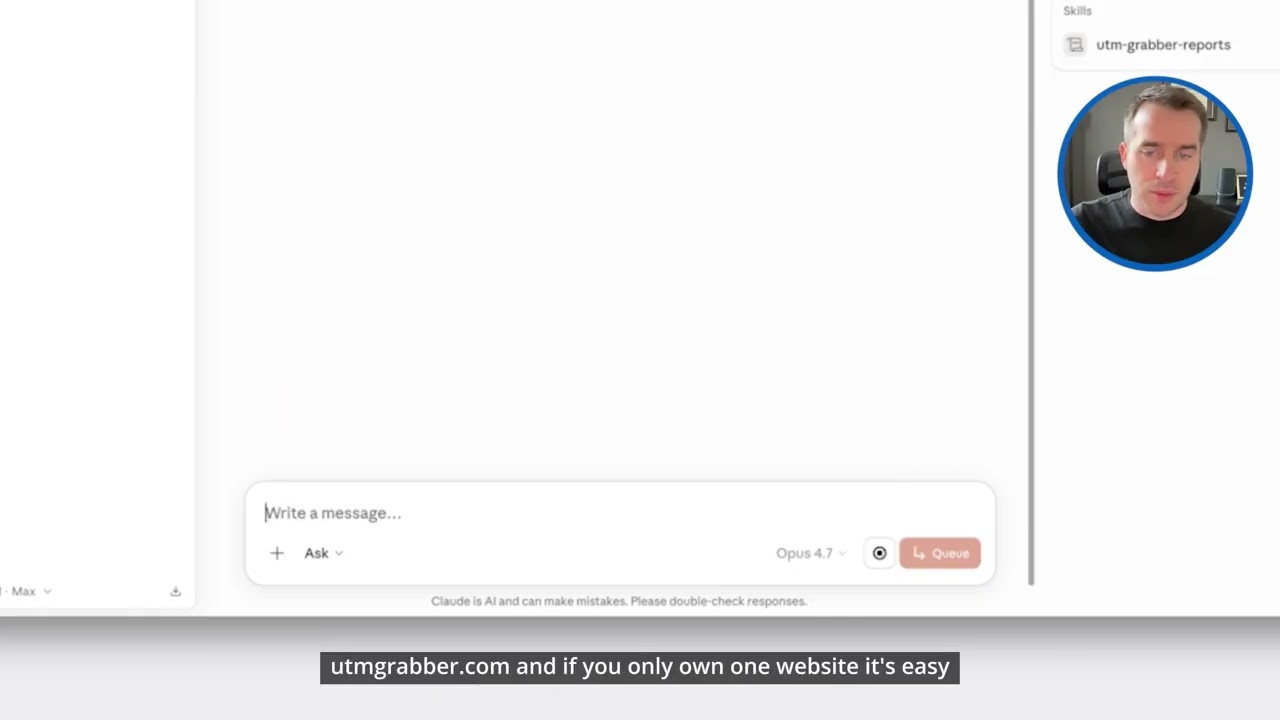
Connect your data
This happens once, in WordPress, it's separate from the skill, and your AI can't do it for you. It links your form data to any MCP-compatible AI tool.
- In WordPress, open UTM → MCP and click Connect to MCP.
- Copy your unique MCP URL. It's secret, treat it like a password.
- Paste it into your AI tool's connector / MCP settings.
Add the skill
Two ways, pick one.
One command
Works with Cursor, Codex, and Claude Code. Paste this into your terminal:
curl -fsSL https://raw.githubusercontent.com/handldigital/utm-grabber-skills/main/install.sh | bash -s -- utm-grabber-reportsIt asks which AI tool to install into.
Download & upload
For the Claude app (desktop, web, mobile) and any skill-capable client, no terminal needed.
Then upload it in the Claude app:
└ Capabilities
└ Skills → Upload
Other clients: unzip the .skillinto your tool's skills folder, e.g. ~/.cursor/skills/, ~/.codex/skills/, or ~/.agents/skills/.
Say hi
In any new chat, type the magic word.
Your AI recommends a first report and can run one on sample data before you connect real data.
💡 Once installed, the skill is available in every new chat. Connecting your live data is the one-time WordPress step above.
Things you can actually say.
No syntax to memorize. Write the way you'd text a colleague. The skill handles the interpretation.
Quick answers
- › How many leads last month?
- › Top source last Tuesday?
- › Did Facebook beat Google?
- › Which HubSpot leads came from LinkedIn?
- › What's my best day in April?
- › Is my UTM coverage above 80%?
- › Tell me about alice@acme.com
Full reports
- › Run my monthly report
- › Weekly exec summary, please
- › Audit my UTM hygiene
- › Rank my campaigns
- › Deep dive on Q2 Reactivation
- › Forecast my next 30 days
- › What anomalies showed up this week?
- › Compare paid vs organic Q1
Setup & tools
- › Set up my brand colors
- › Tag my Q2 Google Ads campaign
- › Generate UTMs for a newsletter
- › Export last month as CSV
- › Turn this into a PowerPoint
- › Build me a custom report, HubSpot leads by page, Q1 only
Slash shortcuts save keystrokes.
Every report has a shortcut: /monthly, /weekly, /audit, /forecast, /compare X vs Y, /lead [email], /pptx, and more. Add time modifiers like /monthly last-60-days. Type /help for the full list.
Start with Hi on first use. Claude shows you what it can do with interactive buttons, even offers to run a sample report on synthetic data before you connect your site.
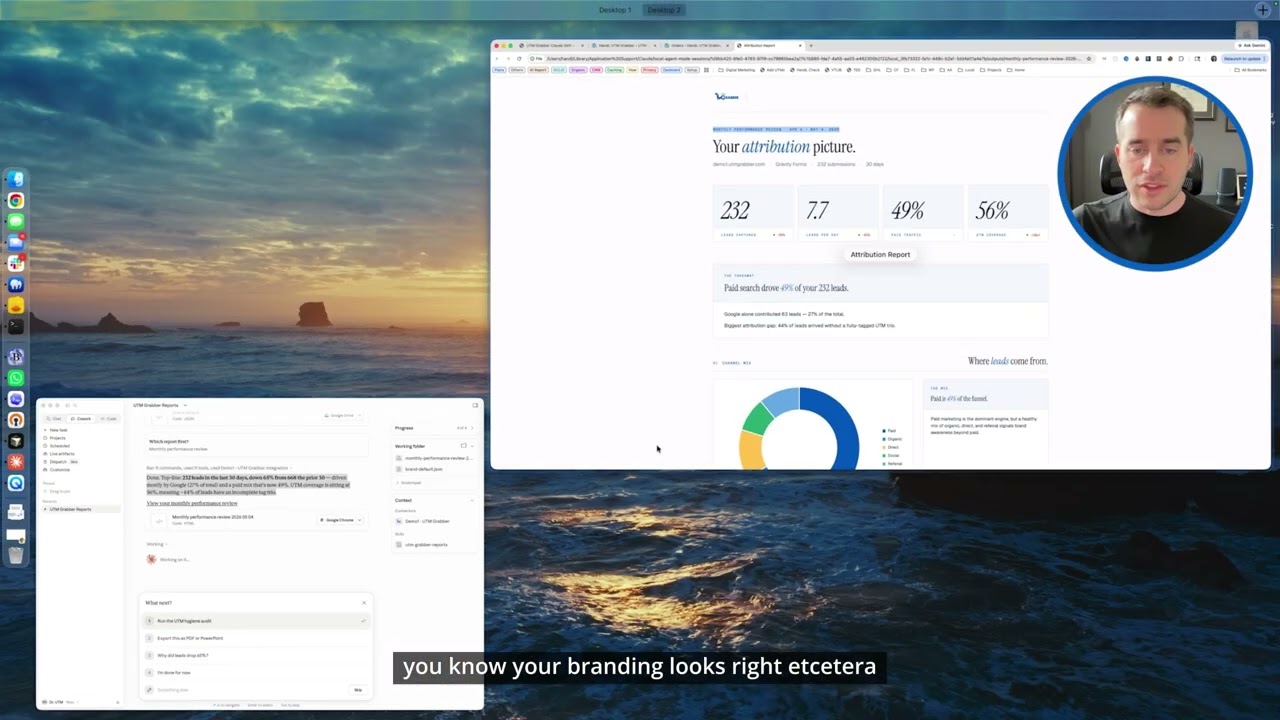
Reports that look like your designer made them.
Editorial-magazine layout, two-tone cards, branded chart colors, and an italic accent on every headline. Not a "BI tool dashboard." Something you'd actually send a client.
- ✓Every metric gets a delta."+12% vs last 30 days" baked in, you always know the trend.
- ✓HTML, open in any browser, share a link
- ✓PDF, native WeasyPrint, print-ready
- ✓PowerPoint, editable slides, real text, real charts. Gradient theme available for dramatic exec decks.
- ✓CSV, raw leads + every UTM field, for Excel
- ✓Your colors, your logo, your company name, on every page
Your attribution picture.
One skill. Every client. Branded per client.
Store unlimited brand profiles. Switch between clients with /brand switch acme. Every report renders in the active client's colors, logo, and company name. Footer reads "Powered by UTM Grabber" (optional) or stays fully client-branded.
- › Auto-detect brand colors from a client's website URL
- › One portfolio rollup = every client's numbers at once
- › Flagged brands ("Client X is down 30% this week")
- › Profiles stored privately in your Claude memory, never on our servers
Works with your setup.
Any Claude surface
Whatever's on your WordPress
Whatever you're using
Questions? Quick answers.
Ready to ask your AI about your leads?
Five-minute install. Free with UTM Grabber. 18 report types. Plain-English questions.
UTM Grabber · Updated April 2026