
See Which Channels and Campaigns Bring In Your Revenue
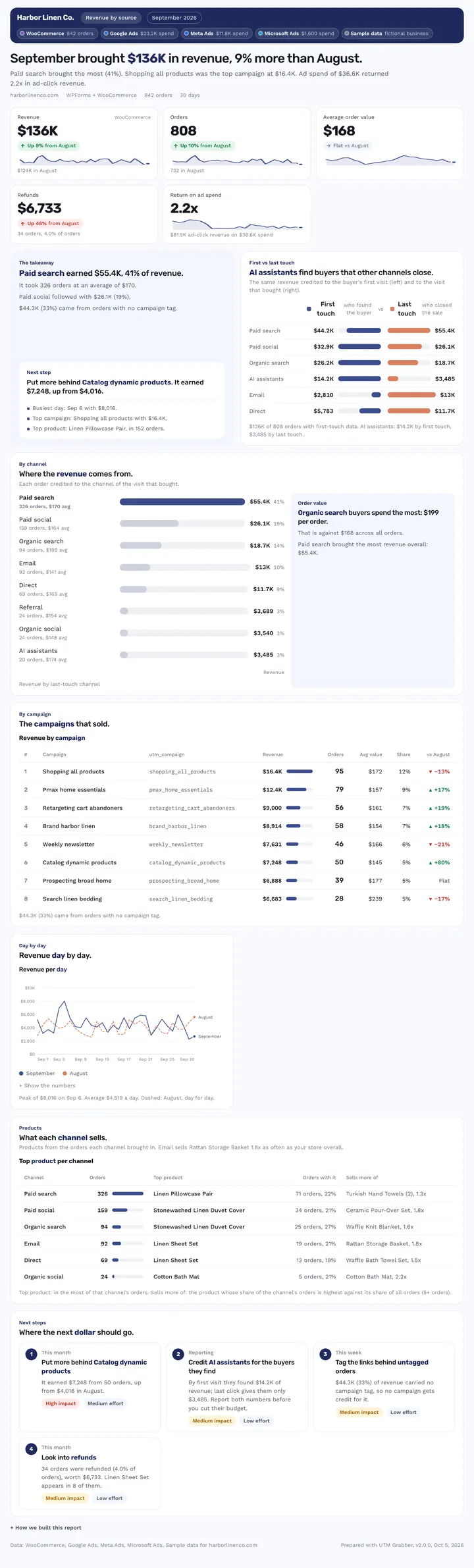
Revenue by source credits your WooCommerce revenue to the channel, campaign and product behind each order. It puts first touch next to last touch and adds return on ad spend when spend is connected. It answers “where does our revenue come from, and where should the next dollar go?”
Published · Updated

Which channels bring in my store's actual revenue?
It depends on whether you're tracking sales or leads. For a WooCommerce store, Revenue by source credits each order's revenue to the channel, campaign and product behind it, with first touch next to last touch. Type /revenue to run it. To see the full path between channels, use Customer journeys. To test a budget move first, the Budget simulator fits better. To judge individual ads, pick Ad creative performance.
What it is: Revenue by source is a store revenue report from the free UTM Grabber Reports skill for WooCommerce owners and ecommerce marketers that ties every order to the channel, campaign and product behind it.
What this report answers
Built for: WooCommerce store owners and ecommerce marketers.
What's in the report
Why You Can Trust What It Tells You
Counts only real orders
Revenue counts completed and processing orders, shows refunds on their own line, and leaves out cancelled, failed and pending orders.
Ad return from ad-driven orders
Return on ad spend uses revenue from orders whose last click was an ad, divided by that platform's spend.
Works without a store
With no store, won CRM deals stand in for orders, credited through the lead with the same email.
Ask your AI
Type the shortcut, or ask in your own words. Your AI pulls your leads through your UTM Grabber connection and builds the report.
You ask: /revenueWhere did our revenue come from this month?
Used UTM Grabber, Google Ads, Meta Ads and Microsoft Ads

check_site_health· UTM Grabberget_woocommerce_orders· UTM Grabber· 842 ordersget_campaign_spend· Google Ads· $23.2K spendget_campaign_spend· Meta Ads· $11.8K spendget_campaign_spend· Microsoft Ads· $1,600 spend
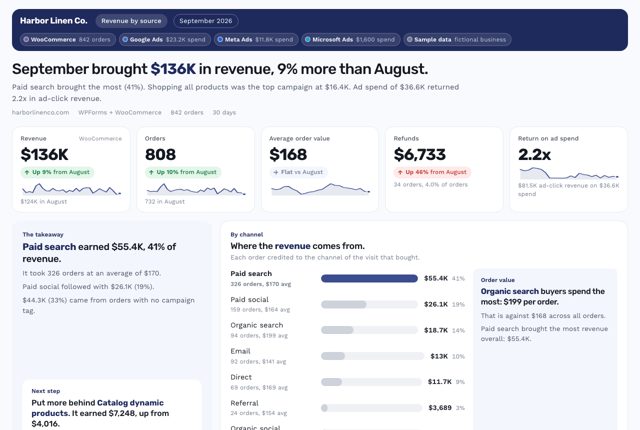
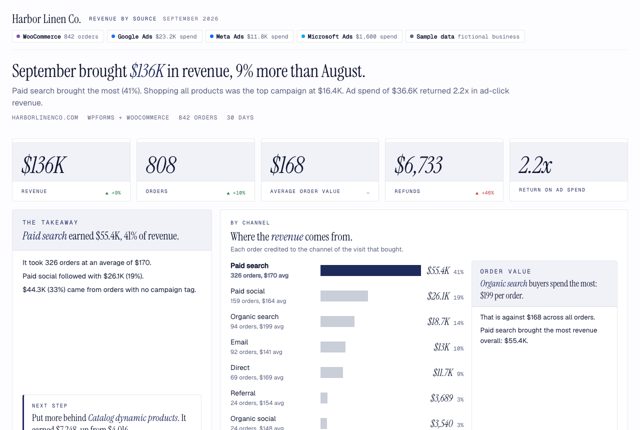
Claude answers: September brought $136K in revenue, 9% more than August. Paid search brought the most (41%).
/revenue- “Where did our revenue come from this month?”
- “Which campaigns made us the most money?”
- “What's our return on ad spend by channel?”
What it uses
UTM GrabberRequiredYour WooCommerce orders, with UTM Grabber fieldsNeeds Starter+ or PremiumFirst-touch fields on each order, from UTM Grabber Premium.Report designs need Claude, Codex or Cursor.
 Revenue by source
Which plan do you need?
This report needs WooCommerce and Starter+ or Premium. Revenue by source reads your WooCommerce orders with the fields UTM Grabber Premium records on each one, including the first touch. So it can show the channel that found a customer next to the one that closed the sale.
WooCommerce revenue needs Starter+ or Premium.
| Plan | What your AI reads |
|---|---|
| Free plugin | Your last 30 days, with a fair-use allowance |
| Starter | Your last 30 days, with first touch and more click IDs |
| Starter+ or PremiumThis report | Your full history, unmetered |
See it in 4 looks
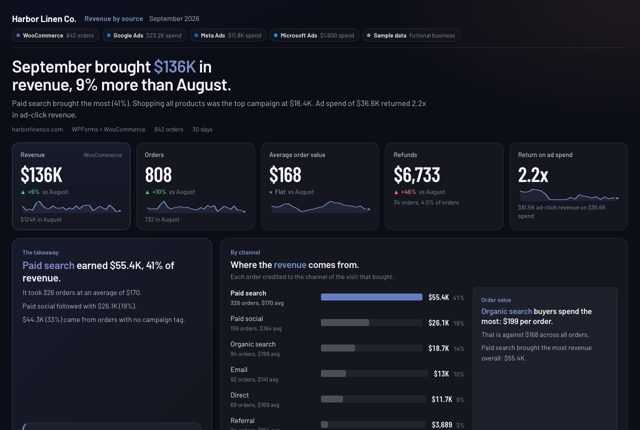
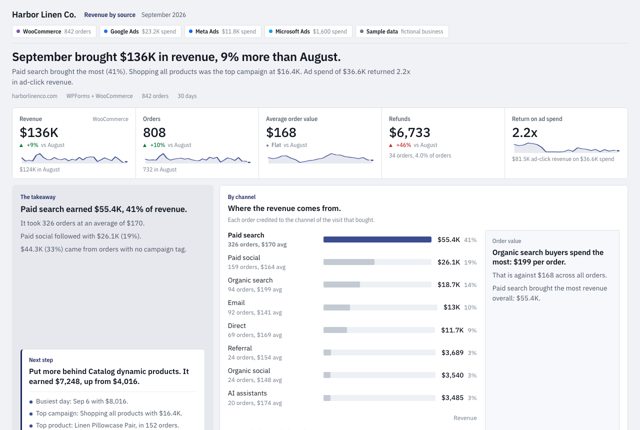
Same numbers, same story, 4 designs. View the sample full screen, or download it as a PDF or editable PowerPoint slides.
Questions about this report
Does it work without WooCommerce?
Yes, through your CRM. With no orders, it uses won deals from HubSpot, Salesforce or Pipedrive, credited through the lead with the same email, and calls them won deals instead of orders.
How is return on ad spend calculated?
Revenue from orders whose last click was an ad on that platform, divided by that platform's spend, with spend cut to the order dates. It never divides total revenue by ad spend.
Which plan does it need?
WooCommerce and Starter+ or Premium. Every UTM Grabber Premium plan records the full source on each order, and Starter+ and Premium let your AI read your orders.
Related reports
Want Us to Build This for You?
Get reports like this one with your logo and colors, set up for you. With the Support Package, we connect the AI Connector (MCP) to your data and hand you your own AI report builder, tuned to your business, for weekly, monthly and annual reports.
Works on free and paid plans, and with your agency. Cancel anytime, no contracts.
$199/yr$349
Launch price · Real Value: $1,700
- Expert SetupOur resident expert team installs UTM Grabber and wires every form, with a live test.
- Diagnostics & FixesCaching, cookie and GDPR leaks found and fixed, then audited again all year.
- Custom Reporting + MCPWe connect the AI Connector (MCP) to your data and hand you your own AI report builder.
- Ongoing SupportNew funnels and forms wired all year, with priority answers.
Get This Report on
Your Own Leads.
Connect UTM Grabber to Claude, ChatGPT, Codex or Cursor with the AI Connector (MCP), add the free Reports skill, then type /revenue. Or just describe what you need.
Every plan can connect. The report designs need an AI app that supports skills: Claude, Codex or Cursor.
This sample is real output from the UTM Grabber Reports skill v2.0, built on sample data for Harbor Linen Co., a fictional WooCommerce store. Once you set it up, every report uses your own brand colors and logo. Google Ads, Meta, Google Analytics and CRM connectors come from each platform or a third party, not from UTM Grabber. You add them to the same AI chat.