
Open a Dashboard That Pulls Your Latest Leads Every Time
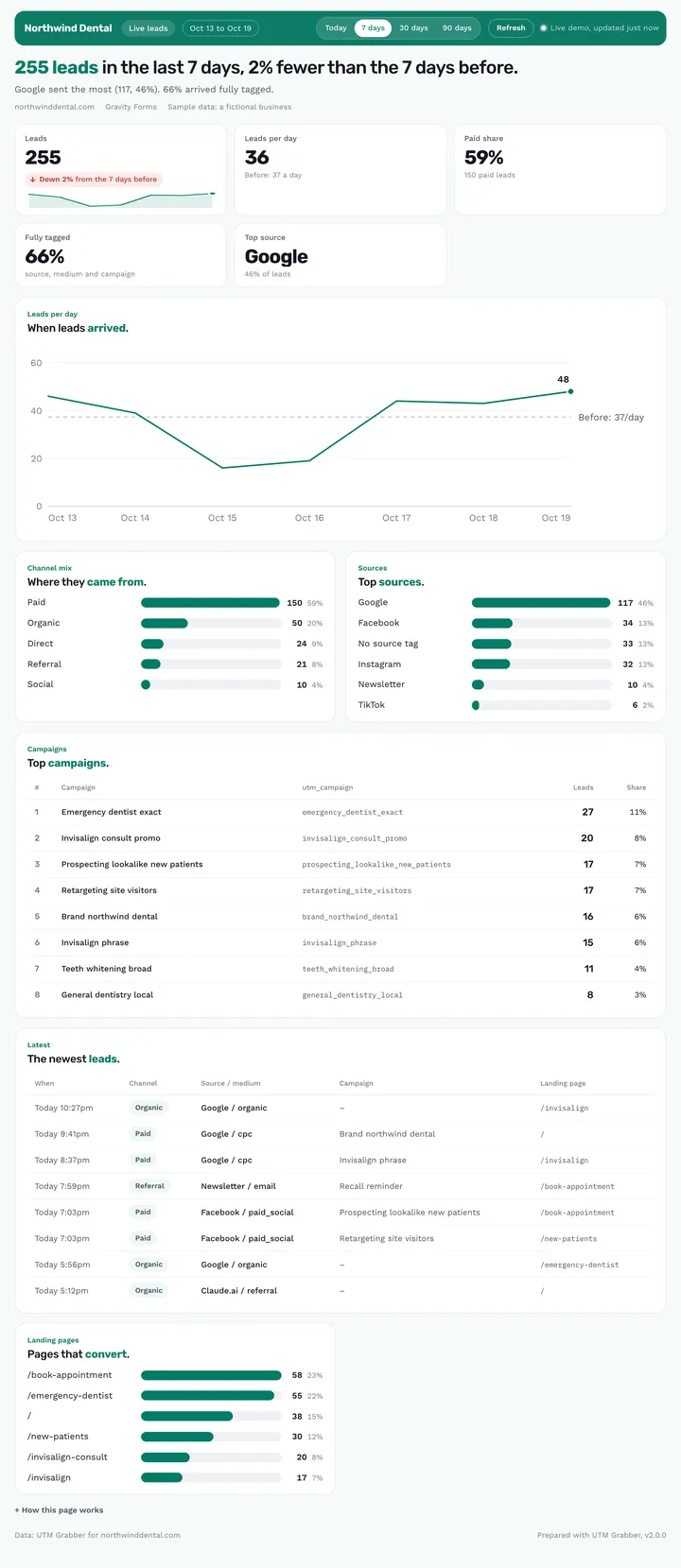
The Live leads dashboard is a private claude.ai link that pulls your latest leads from your UTM Grabber connection every time you open it. It shows Today, 7, 30 or 90 days with the change against the period before, and answers “how are our leads doing right now?” without asking for a new report.
Published · Updated

Can I get a dashboard that always shows my latest leads?
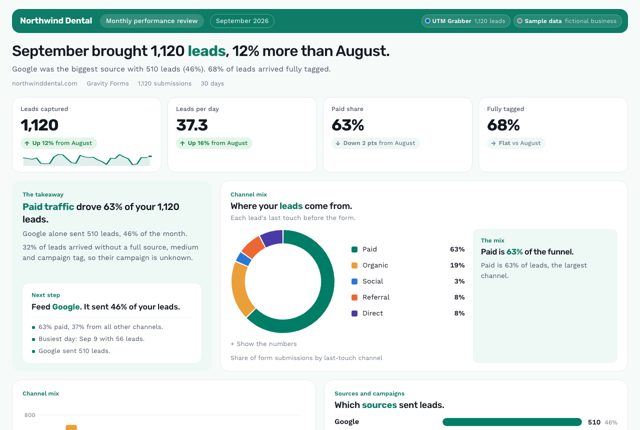
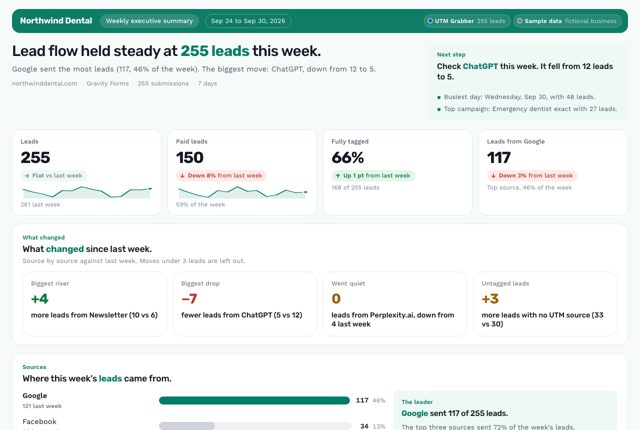
It depends on how you work. If you use the Claude desktop app on a paid Claude plan, ask for a Live leads dashboard and you get a private claude.ai link that pulls your latest leads each time you open it. There's no shortcut: just ask in plain words. For a report to forward each month, use the Monthly performance review. For a Monday update, the Weekly executive summary fits better. For a morning check, pick the Daily pulse.
What it is: The Live leads dashboard is a private claude.ai page from the free UTM Grabber Reports skill for owners and teams that pulls your latest leads every time you open it.
What this report answers
Built for: Owners and teams who want one bookmark for today's leads.
What's in the report
Why You Can Trust What It Tells You
Fresh every time you open it
It refreshes each time it opens, and every 15 minutes while it stays open.
Live numbers only when signed in
Signed-in claude.ai users with UTM Grabber connected see live numbers, and everyone else sees the snapshot saved when the page was built.
No personal details on the page
The page keeps only dates and tracking fields, never names, emails or other personal details.
Ask your AI
Ask in the Claude desktop app. Claude builds the dashboard from your UTM Grabber connection and publishes it as a private link.
You ask: Make me a live dashboard of my leads.
Used UTM Grabber

check_site_health· UTM Grabberget_woocommerce_orders· UTM Grabber
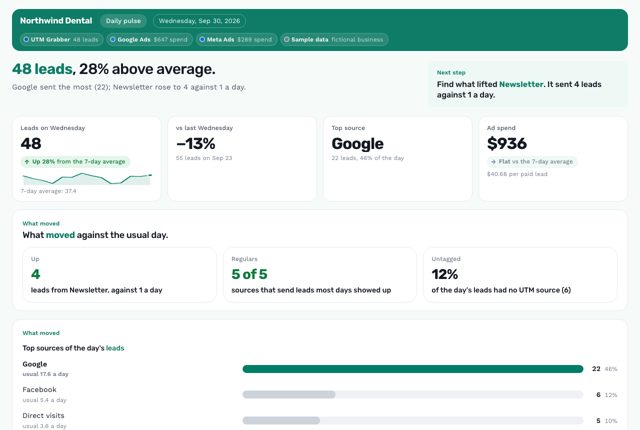
Claude answers: Northwind Dental live leads Live numbers come from UTM Grabber each time this page opens, and every 15 minutes while it stays open.
- “Make me a live dashboard of my leads.”
- “Turn this report into a link that stays up to date.”
- “Refresh my dashboard every Monday morning.”
What it uses
UTM GrabberRequiredYour leads, read each time the page opens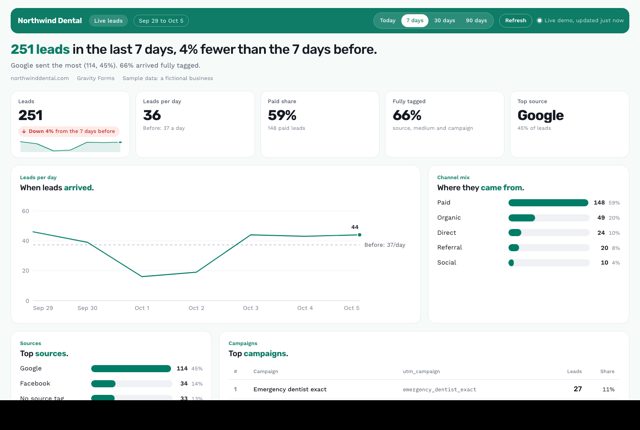 Live leads dashboard
Live dashboards need the Claude desktop app on a paid Claude plan (Pro, Max, Team or Enterprise). If your UTM Grabber plan doesn't cover a window, such as more than 30 days on the free plan, the page shows your site's own message. Google Ads, Meta, Google Analytics and CRM connectors come from each platform or a third party, not from UTM Grabber. You add them to the same AI chat.
Try the demo dashboard
The demo simulates a live connection with sample data and calls nothing. Yours reads your own leads.
Questions about this dashboard
Who sees live numbers?
People signed in to claude.ai with UTM Grabber connected, which means you and your team. Anyone else sees the snapshot saved when the page was built, and the page says which one they're looking at.
Can I share it?
Yes, from the Share menu on the page: with people in your organization, or as a public link. On Team and Enterprise plans, an Owner turns public links on first. You can also keep it private.
What if I don't use Claude?
Everywhere else, you get the report as a file: a web page, a PDF or an editable PowerPoint. Any of the 30 reports can also become a private link that Claude refreshes when you ask, or on a schedule.
Related reports
Want Us to Build This for You?
Get reports like this one with your logo and colors, set up for you. With the Support Package, we connect the AI Connector (MCP) to your data and hand you your own AI report builder, tuned to your business, for weekly, monthly and annual reports.
Works on free and paid plans, and with your agency. Cancel anytime, no contracts.
$199/yr$349
Launch price · Real Value: $1,700
- Expert SetupOur resident expert team installs UTM Grabber and wires every form, with a live test.
- Diagnostics & FixesCaching, cookie and GDPR leaks found and fixed, then audited again all year.
- Custom Reporting + MCPWe connect the AI Connector (MCP) to your data and hand you your own AI report builder.
- Ongoing SupportNew funnels and forms wired all year, with priority answers.
Get a Live Dashboard of
Your Own Leads.
Connect UTM Grabber to Claude, ChatGPT, Codex or Cursor with the AI Connector (MCP), add the free Reports skill, then ask Claude for a live dashboard. Or just describe what you need.
Every plan can connect. The report designs need an AI app that supports skills: Claude, Codex or Cursor.
This dashboard demo simulates a live UTM Grabber connection with sample data for Northwind Dental, a fictional dental practice. Once you set it up, every report uses your own brand colors and logo. Google Ads, Meta, Google Analytics and CRM connectors come from each platform or a third party, not from UTM Grabber. You add them to the same AI chat.