
Catch a Lead Drop or Spike the Morning After It Happens
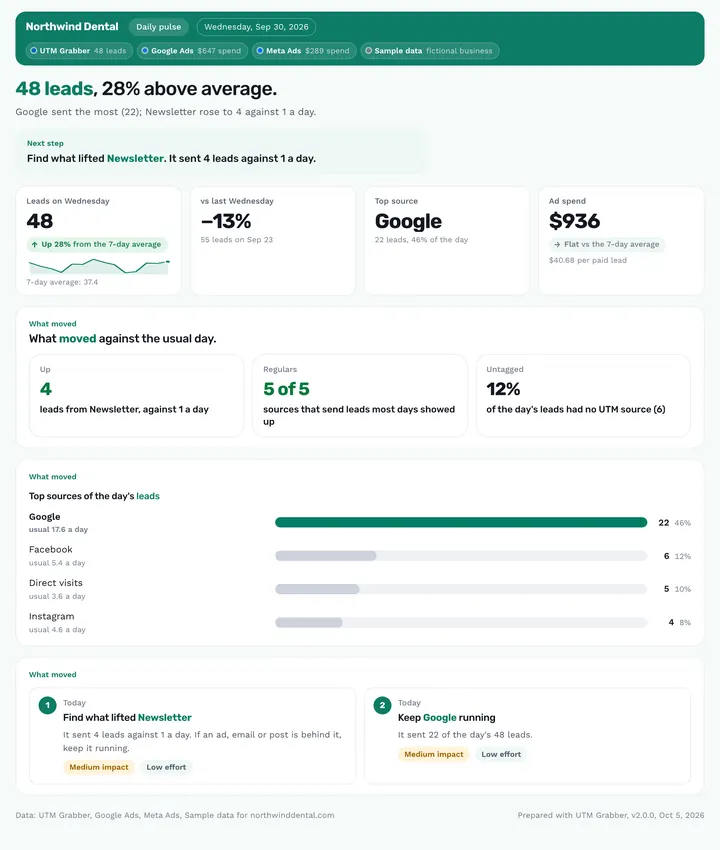
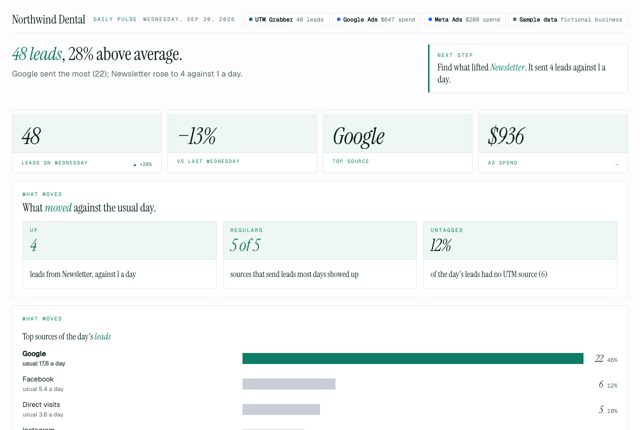
The Daily pulse is a one-page morning brief for a single day. It puts yesterday's leads next to your trailing 7-day average and the same weekday last week, and answers one question: did anything break or spike yesterday?
Published · Updated
/pulseCore performanceNew in v2.0
How do I know if yesterday's leads were normal?
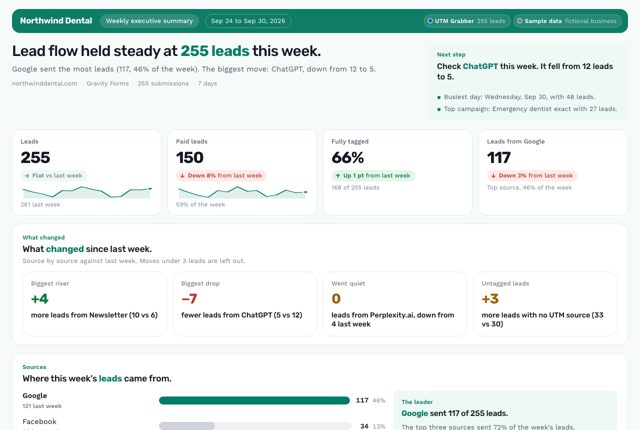
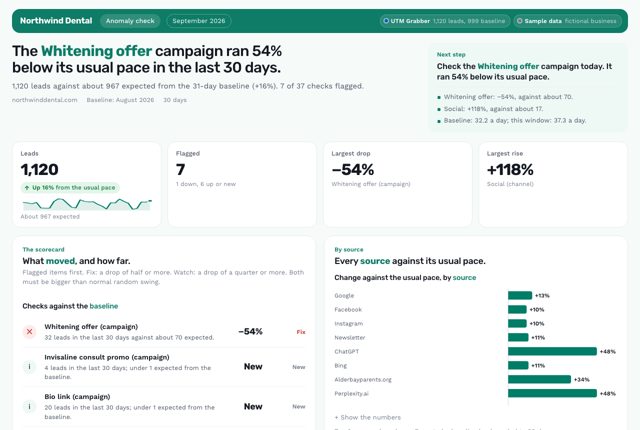
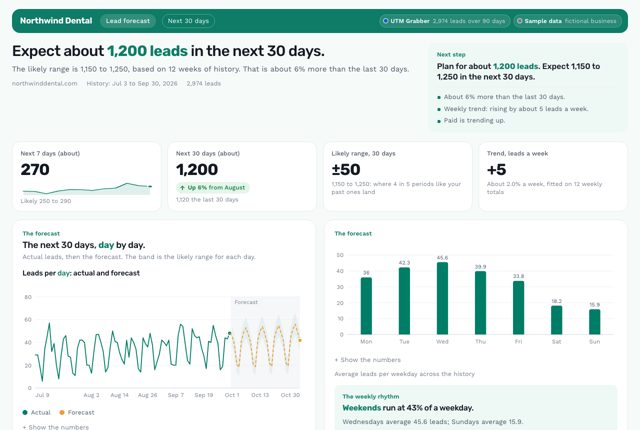
It depends on how fast you need to know. If you want a morning answer to "did anything break or spike yesterday?", the Daily pulse is built for that: yesterday next to your 7-day average and the same weekday last week. Type /pulse to run it. For a fuller weekly view, the Weekly executive summary fits better. To separate real drops from normal swing across campaigns, use the Anomaly detector. To plan ahead, pick the Lead forecast.
What it is: The Daily pulse is a one-page morning brief from the free UTM Grabber Reports skill for owners and media buyers that checks yesterday's leads against a normal day.
What this report answers
Built for: Owners and media buyers who want to know first thing in the morning whether yesterday was normal.
What's in the report
Why You Can Trust What It Tells You
Flags only unusual days
A source has moved only when it's 2+ leads off its 7-day average and more than 1.5 times the square root of that average.
Catches a steady source going silent
You get a flag when a source averaging 3+ leads a day, with leads on 6 of the last 7 days, sent none yesterday.
Gaps in history read as unknown
Days outside the pulled range count as unknown instead of zero, so a short history can't look like a fall in your leads.
Ask your AI
Type the shortcut, or ask in your own words. Your AI pulls your leads through your UTM Grabber connection and builds the report.
You ask: /pulseHow did we do yesterday?
Used UTM Grabber, Google Ads and Meta Ads

check_site_health· UTM Grabberlist_forms· UTM Grabberget_entries· UTM Grabber· 48 leadsget_campaign_spend· Google Ads· $647 spendget_campaign_spend· Meta Ads· $289 spend
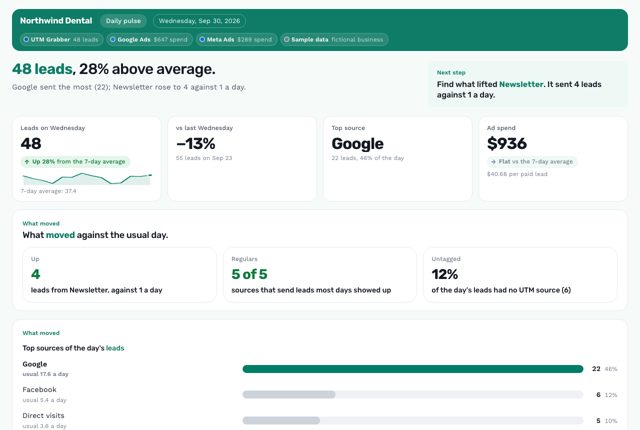
Claude answers: 48 leads, 28% above average. Google sent the most (22); Newsletter rose to 4 against 1 a day.
/pulse- “How did we do yesterday?”
- “Run my morning pulse for Tuesday.”
- “Did any of our usual lead sources go quiet yesterday?”
What it uses
UTM GrabberRequiredYour leads, with their UTMs and click IDsUTM Grabber Premium adds AI assistants and search engines to the source names.Report designs need Claude, Codex or Cursor.
 Daily pulse
Which plan do you need?
This report works on the free plugin. UTM Grabber Premium adds more detail.
| Plan | What your AI reads |
|---|---|
| Free pluginThis report | Your last 30 days, with a fair-use allowance |
| Starter | Your last 30 days, with first touch and more click IDs |
| Starter+ or Premium | Your full history, unmetered |
See it in 4 looks
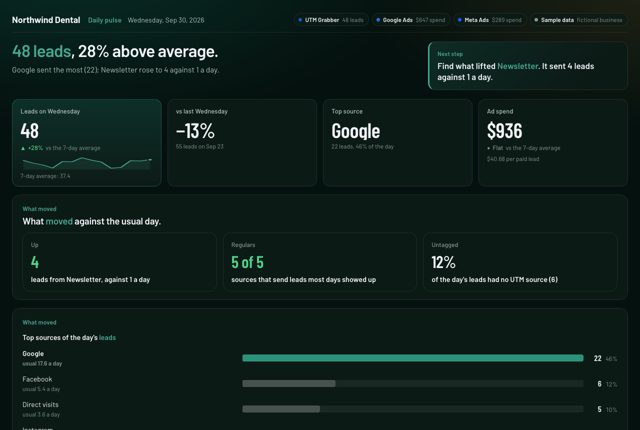
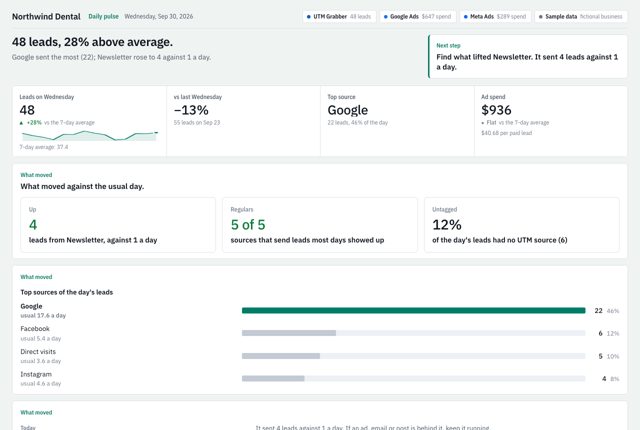
Same numbers, same story, 4 designs. View the sample full screen, or download it as a PDF or editable PowerPoint slides.
Questions about this report
Will it call a slow day a crisis?
No. It only flags a quiet source when the zero is beyond normal swing for that source, and then it says what to check. A slow Sunday stays a slow Sunday.
Does it need ad spend?
No. Spend is optional. Without an ad account, it reports paid leads without cost. Connect Google Ads or Meta Ads to the same chat and the pulse adds the day's spend and cost per paid lead.
Can it run every morning on its own?
Yes. In the Claude desktop app, ask for a scheduled task that runs /pulse each morning. Desktop scheduled tasks run while the app is open and your computer is awake.
Related reports
Want Us to Build This for You?
Get reports like this one with your logo and colors, set up for you. With the Support Package, we connect the AI Connector (MCP) to your data and hand you your own AI report builder, tuned to your business, for weekly, monthly and annual reports.
Works on free and paid plans, and with your agency. Cancel anytime, no contracts.
$199/yr$349
Launch price · Real Value: $1,700
- Expert SetupOur resident expert team installs UTM Grabber and wires every form, with a live test.
- Diagnostics & FixesCaching, cookie and GDPR leaks found and fixed, then audited again all year.
- Custom Reporting + MCPWe connect the AI Connector (MCP) to your data and hand you your own AI report builder.
- Ongoing SupportNew funnels and forms wired all year, with priority answers.
Get This Report on
Your Own Leads.
Connect UTM Grabber to Claude, ChatGPT, Codex or Cursor with the AI Connector (MCP), add the free Reports skill, then type /pulse. Or just describe what you need.
Every plan can connect. The report designs need an AI app that supports skills: Claude, Codex or Cursor.
This sample is real output from the UTM Grabber Reports skill v2.0, built on sample data for Northwind Dental, a fictional dental practice. Once you set it up, every report uses your own brand colors and logo. Google Ads, Meta, Google Analytics and CRM connectors come from each platform or a third party, not from UTM Grabber. You add them to the same AI chat.