
WordPress UTM Tracking - Why Your Plugin Is Not Enough
You installed a WordPress plugin. You added your UTM parameters. You expected clean data. Instead, you got missing sources, duplicated sessions, and attribution that never seems to work. WordPress UTM tracking has unique challenges that most plugins do not solve. Here is why and what actually works.

If this sounds familiar, you are not alone
- Your WordPress caching plugin strips UTM parameters from URLs
- Your form plugin does not pass UTM data to your CRM
- Multiple plugins handle different parts of tracking with no coordination
- Server-side tracking requirements exceed what WordPress plugins can do
- Your tracking breaks when users disable cookies
- iOS/Safari users lose attribution before they convert
WordPress creates unique UTM tracking challenges that require more than a basic plugin.
Why WordPress UTM tracking is harder than it looks
1. Caching and optimization plugins interfere
WordPress optimization plugins exist to speed up your site. They often strip URL parameters including UTM tags. Page cache, minification, and CDN optimization can all remove the data you need.
You need a tracking solution that survives optimization.
2. Form plugins create data silos
WordPress form plugins capture visitor information. But they do not always preserve UTM parameters through to your CRM or email marketing. The person who filled out the form gets attributed to direct traffic instead of the actual source.
Your form plugin needs to pass UTM data, not just capture it.
3. Client-side tracking fails more often than you think
WordPress plugins typically track via JavaScript. This fails for users with JavaScript disabled, Safari users with Intelligent Tracking Prevention, and anyone using privacy extensions.
You need server-side tracking to capture data that client-side tracking misses.
4. Cookie-based tracking expires early
WordPress users face the same ITP issues as everyone else. Safari and iOS users lose cookies faster. Long sales cycles mean attribution expires before conversion.
Server-side storage of UTM parameters survives browser restrictions.
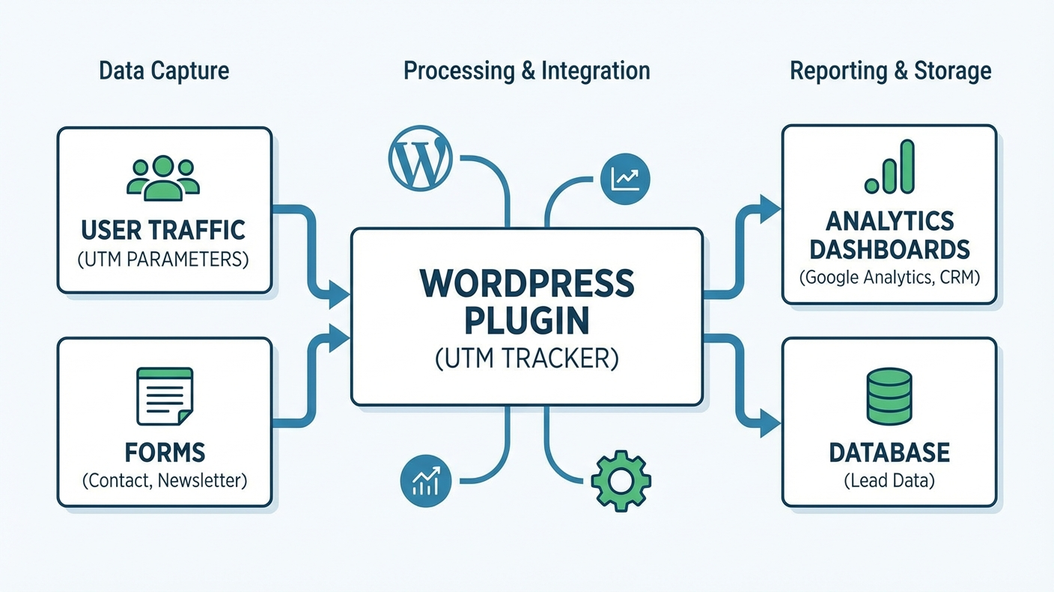
The real cost is not the plugin - it is the missing data
- Your attribution shows direct traffic for visitors who came from real campaigns
- Your CRM shows leads with no source, making nurturing impossible
- You cannot prove which campaigns actually drive revenue
- Your optimization decisions are based on incomplete data
A WordPress plugin that cannot capture UTM data is worse than no plugin at all - it gives you false confidence.
What working WordPress UTM tracking looks like
- UTM parameters survive caching and optimization
- Form submissions include original source data
- Server-side tracking captures what JavaScript misses
- Data appears correctly in GA4, CRM, and email tools
Good WordPress UTM tracking survives optimization, preserves data through forms, and works on every browser.
Why another plugin will not fix this
This is exactly why we built UTM Grabber
UTM Grabber provides WordPress-native UTM tracking that survives caching, works through forms, and captures server-side data.
- WordPress plugin that works with your existing setup
- Server-side tracking that survives optimization
- Form integration that passes UTM data to your CRM
- iOS/Safari tracking that client-side plugins cannot do
UTM Grabber is built for WordPress users who need real tracking
- WordPress sites using forms that need UTM pass-through
- Sites with caching or optimization plugins that strip parameters
- Businesses with long sales cycles that exceed cookie duration
- Anyone whose WordPress tracking shows too much direct traffic
If your WordPress tracking is not working, this is for you.