
UTM Parameters Explained - The Complete Guide That Actually Makes Sense
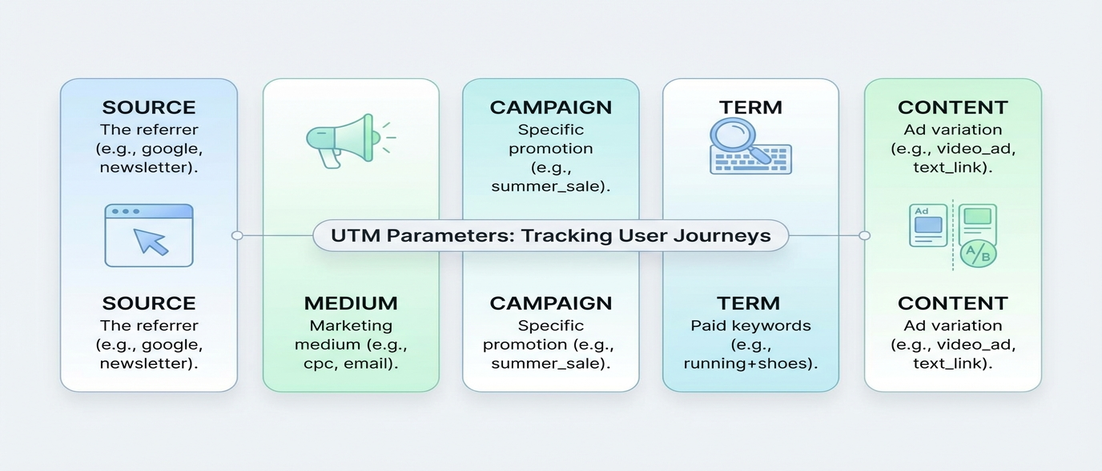
Most UTM guides list the 5 parameters and call it a day. That leaves you with a cheat sheet but no understanding. Here is what each parameter actually does, when to use it, and how they work together to create attribution that actually means something.
If this sounds familiar, you are not alone
- You use
utm_source=googleandutm_medium=cpcbut cannot explain why they are separate - Your campaigns have
utm_campaign=summer_saleandutm_content=summer_salebecause you are not sure what content is for - You see other reports with
utm_termand wonder if you are missing something important - Your agency sends data with different parameter names and you have no idea if it is correct
Understanding parameters is not optional - it is the foundation of everything that comes after.
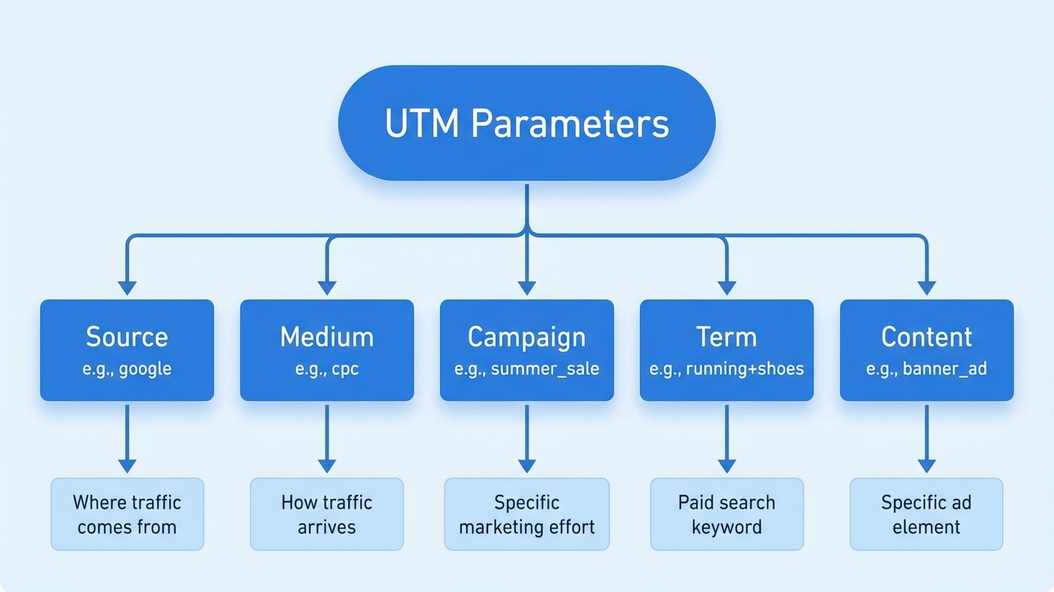
What each parameter actually does
1. utm_source - Where the traffic comes from
utm_source identifies the referring platform. Google, Facebook, Newsletter, Twitter. It answers the question: which website or platform sent this visitor?
Think of source as the broad category. Facebook is a source. Google is a source. Your email newsletter is a source.
2. utm_medium - How the traffic came
utm_medium describes the type of traffic. Cpc, email, organic, referral. It answers the question: what type of marketing brought this visitor?
Medium works with source. Google + cpc = paid search. Facebook + referral = social shares. The same source can have different mediums.
3. utm_campaign - Which campaign this belongs to
utm_campaign groups your marketing initiatives. summer_sale_2026, q1_webinar_series, brand_awareness. It answers the question: which marketing initiative gets credit?
Campaign is where your naming convention matters most. Consistent campaign names let you aggregate performance across channels.
4. utm_term - What people searched for
utm_term captures search keywords. For paid search, this is the keyword you bid on. For other channels, you can use it for any identifying term.
Only use utm_term for paid search. Using it for organic content tags creates confusion.
5. utm_content - What they clicked on
utm_content differentiates links within the same campaign. For emails, this might be the headline. For ads, the creative variant.
Use content when you have multiple links pointing to the same URL and need to know which one generated the click.
The real cost is not knowing - it is bad data forever
- Using the wrong source name means you cannot compare channels accurately
- Inconsistent medium naming breaks your entire traffic analysis
- Bad campaign names make aggregation impossible
- Wrong term or content usage creates noise that obscures real patterns
Wrong parameters create permanent data problems that no analysis can fix.
What correct parameters look like
- Source is always one of 10-15 consistent values across your entire organization
- Medium follows a defined vocabulary that everyone understands
- Campaign names are predictable and searchable
- Term and content are only used when they add specific value
Good parameters are boring - they just work and everyone forgets they exist.
Why memorizing parameter lists does not work
This is exactly why we built UTM Grabber
UTM Grabber enforces correct parameter usage automatically - so your tracking works without memorization.
- Pre-built parameter templates that match your tracking needs
- Validation that prevents wrong parameter usage
- Consistent naming enforced across your entire team
- Works with whatever convention you define
UTM Grabber is built for teams who want correct tracking without the learning curve
- Teams new to UTM tracking who want to start correctly
- Agencies managing tracking for multiple clients
- Anyone who has ever guessed at a parameter value
- Teams whose reports contain unexplained data variations
If you want data you can trust, this is for you.