
Facebook Ads UTM Tracking - Why Auto-Tagging Ruins Your Data
Facebook automatically adds UTM parameters to your ads. You try to add your own. Facebook ignores them. Or it appends them creating duplicate parameters. Or it overrides your carefully crafted campaign names. Facebook UTM tracking works against you by default. Here is how to take control.
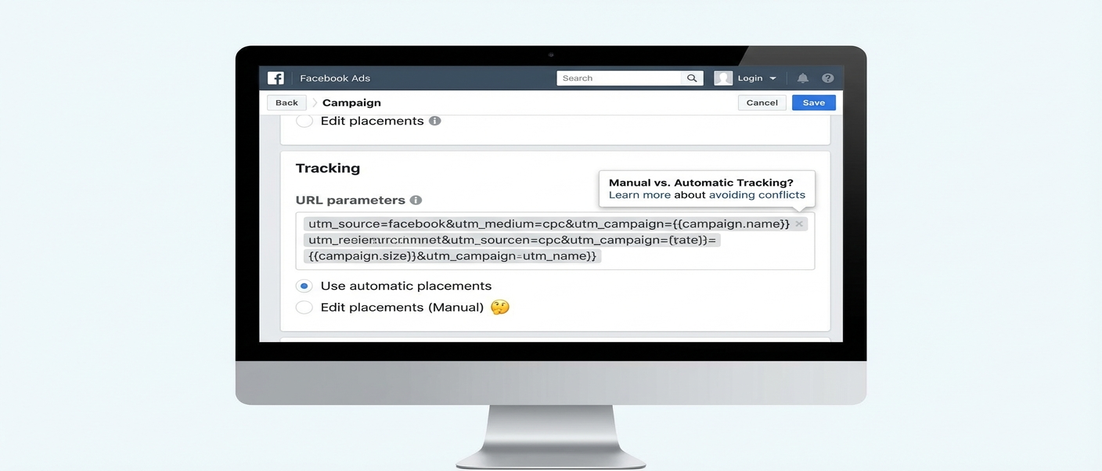
If this sounds familiar, you are not alone
- You add
utm_campaignto your ad URLs and Facebook adds its ownfbclidwhile keeping its internal tracking - Your carefully named campaigns appear in GA4 as Facebook-named values instead of yours
- Facebook auto-tagging creates duplicate parameters that break your analytics
- You cannot compare Facebook data with other channels because the naming is inconsistent
- Your agency uses Facebook naming conventions that do not match your standard
Facebook assumes it knows better than you what tracking you need. It is usually wrong.
How Facebook handles UTM parameters
1. Facebook has its own tracking system
Facebook tracks users via fbclid, not UTM parameters. When you add UTM parameters to Facebook ads, Facebook uses its own internal tracking first. Your UTMs become secondary or get ignored.
Facebook attribution in your analytics will often show Facebook data differently than Facebook Ads Manager.
2. URL parameters get handled differently by ad type
Facebook Link Ads, Carousel Ads, and Video Ads all handle URL parameters differently. Some append, some override, some strip.
Test your specific ad format. What works for link ads may not work for video ads.
3. Auto-tagging cannot be disabled completely
Facebook adds fbclid automatically. You cannot turn this off. But you can control how your own UTM parameters interact with it.
The key is understanding the URL structure and testing what actually arrives in your analytics.
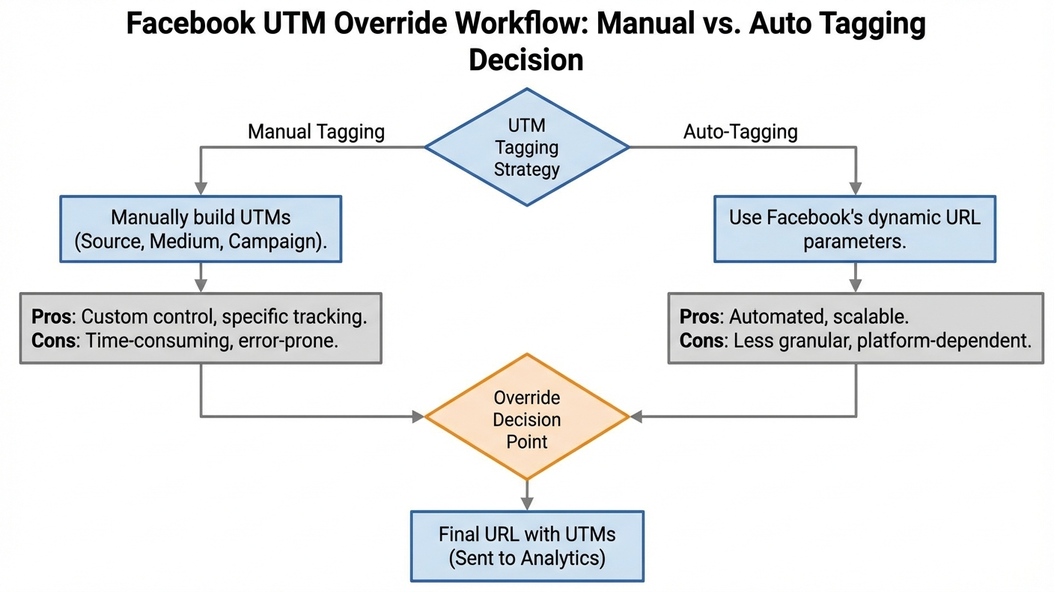
4. You need to override Facebook defaults
To get your naming conventions in your analytics, you need to ensure your UTM parameters appear after Facebook processing. This sometimes requires specific URL formatting or tracking template setup.
The real cost is not the setup time - it is impossible channel comparison
- Your Facebook campaigns cannot be compared to Google Ads because naming conventions differ
- Agency-managed Facebook tracking does not match your internal standards
- Attribution shows different sources for the same traffic depending on which tool you use
- You cannot aggregate Facebook data with other paid channels
If Facebook uses different naming than your other channels, you cannot compare performance accurately.
What controlled Facebook UTM tracking looks like
- Your campaign names appear in your analytics, not Facebook defaults
- Facebook data aggregates correctly with other paid channels
- You can compare Facebook CPC to Google CPC accurately
- Your agency follows your naming convention
When Facebook UTM tracking works, you see consistent naming that matches your other channels.
Why accepting Facebook defaults does not work
This is exactly why we built UTM Grabber
UTM Grabber enforces your naming conventions on Facebook ads - so your data is consistent across channels.
- URL templates that survive Facebook processing
- Validation that your parameters appear in analytics
- Agency coordination tools that enforce your standards
- Facebook-specific troubleshooting for common issues
UTM Grabber is built for teams who run Facebook ads
- Marketing teams running both Facebook and Google Ads
- Agencies managing Facebook tracking for clients
- Anyone whose Facebook data does not appear correctly in GA4
- Teams comparing paid social performance across platforms
If your Facebook attribution does not match your other channels, this is for you.